Industry
SMS for restaurants and hospitality
Reservations, specials and waiting tables come down to the same thing: a short message that arrives at the right hour, written long before anyone is busy.
- Scheduled up to a year ahead
- A send you can pause mid-run
- Every message followed to delivery
Hi Ana, your table for 2 at [RESTAURANT] is booked for Friday at 8pm. Call [PHONE] if your plans change.
Scheduled
Day before, 6pm
Three messages a dining room already sends by hand
Each one is a few lines of copy and an hour it has to arrive by. Miss the hour and the message is just noise.
Reservation reminders
A line the day before a booking is the cheapest thing there is against an empty table. The list comes out of your own book, and the send is set for the hour the guest will actually read it.
The week’s specials
Thursday’s menu to the regulars who asked to hear about it, written on Tuesday and left to leave at six. Shorten the menu link and see how many people opened it.
Table-ready alerts
Tell the party at the bar their table is ready instead of having them crowd the door. One message at a time, sent from your own booking system through the API.
The hour a message leaves is the whole job
A restaurant is busiest at exactly the hours its messages matter. Nobody is at a keyboard at six on a Thursday, and a reminder that goes out at eleven the next morning has already missed the table it was meant to save. So writing a send and sending it are two different moments: the campaign is written and approved in the first quiet half hour there is, and set to leave anywhere from 30 minutes to 365 days later.
That is the difference between a message that works and one that annoys. The specials text is built on Tuesday afternoon and goes out at six on Thursday; next week’s reminders are lined up before the weekend starts. If the night turns, a send already going out can be paused and picked up again, and every message is followed to delivery in reporting.
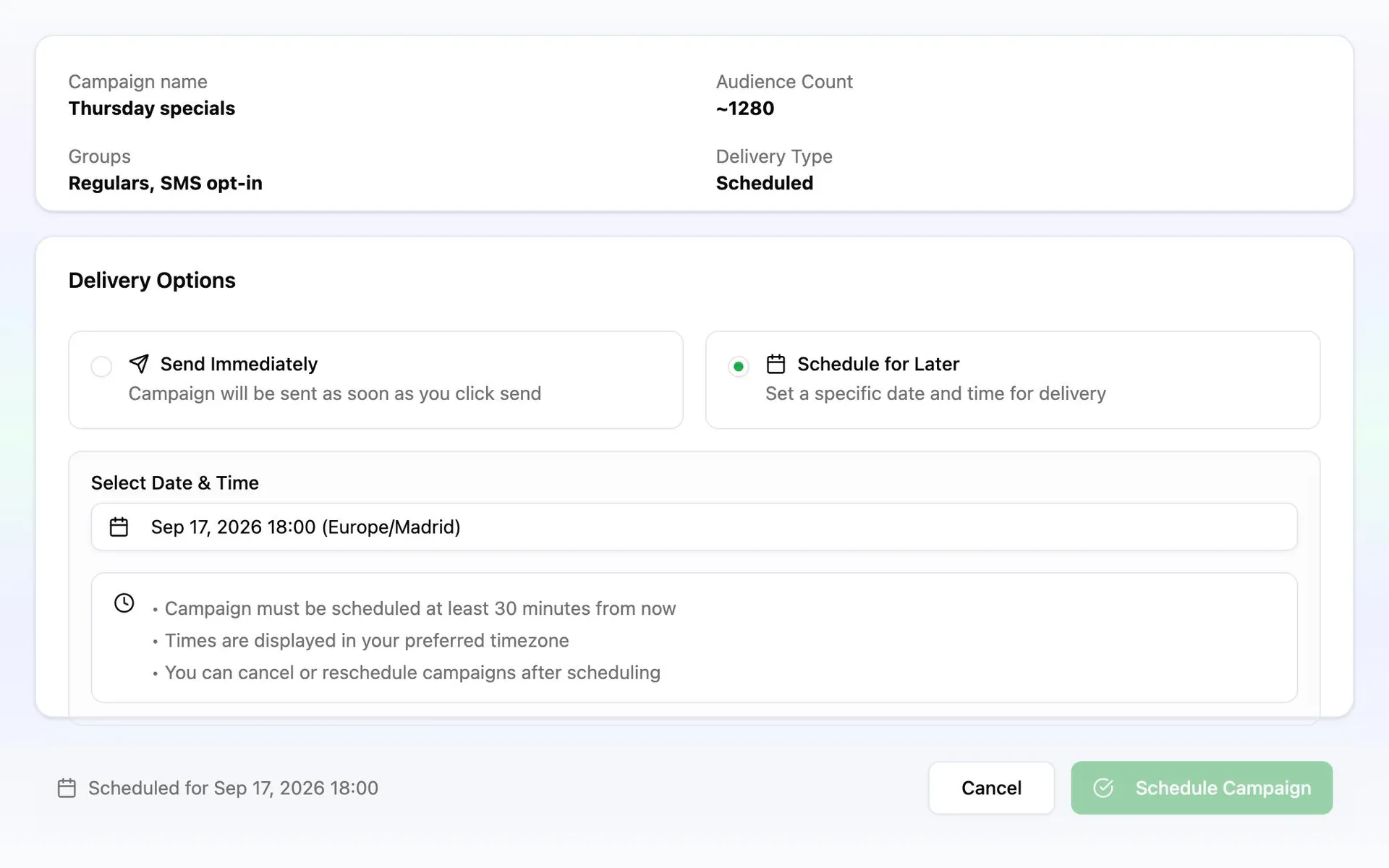
From the booking book to a scheduled send
The first send takes an afternoon. After that only the hour and the words change.
Import the guests you already have
A booking book holds more than a phone number. It also records the last visit, party size and the service each guest usually books. Import those columns and each one can decide who a send goes to.
Keep the regulars apart from the bookings
A reminder belongs to a table; the specials belong to the people who opted in to hear about them. Audiences holds the two rules separately, so a guest never gets the wrong one.
Write it, shorten the menu link, test it
Personalize with the guest’s own name and time, shorten the link so the clicks are counted, and send a test to your own phone before the dining room sees it.
Pick the hour, then approve it
Choose when the message leaves, check the guests it is going to, and approve. The send waits until then whether or not anyone is at the pass.