Industry
SMS for ecommerce and retail
Reach the customers who asked to hear from you, on the screen already in their hand, with the cost of the whole send in front of you before you approve it.
- Segments that re-check themselves
- Short links, with the clicks counted
- Total cost shown before approval
Good news Ana, the trainers you saved are back at [YOUR STORE]. Reserve a pair here: [LINK]
Short link
Clicks counted
Three messages a store already sends by hand
Each one is a list, a few lines of copy and a moment worth catching. The work is in getting all three right at once.
Promotions that land
An offer to exactly the segment it is meant for, on a screen with no promotions tab to be filed into. Add a short link and see how many people opened it.
Back-in-stock alerts
The customers who asked about an item hear the moment it returns, while they still want it. A waiting list is a segment like any other.
Order and delivery updates
Confirmations and shipping updates sent from your own store or app through the API, one message at a time as the status changes.
Know what a send costs before it goes
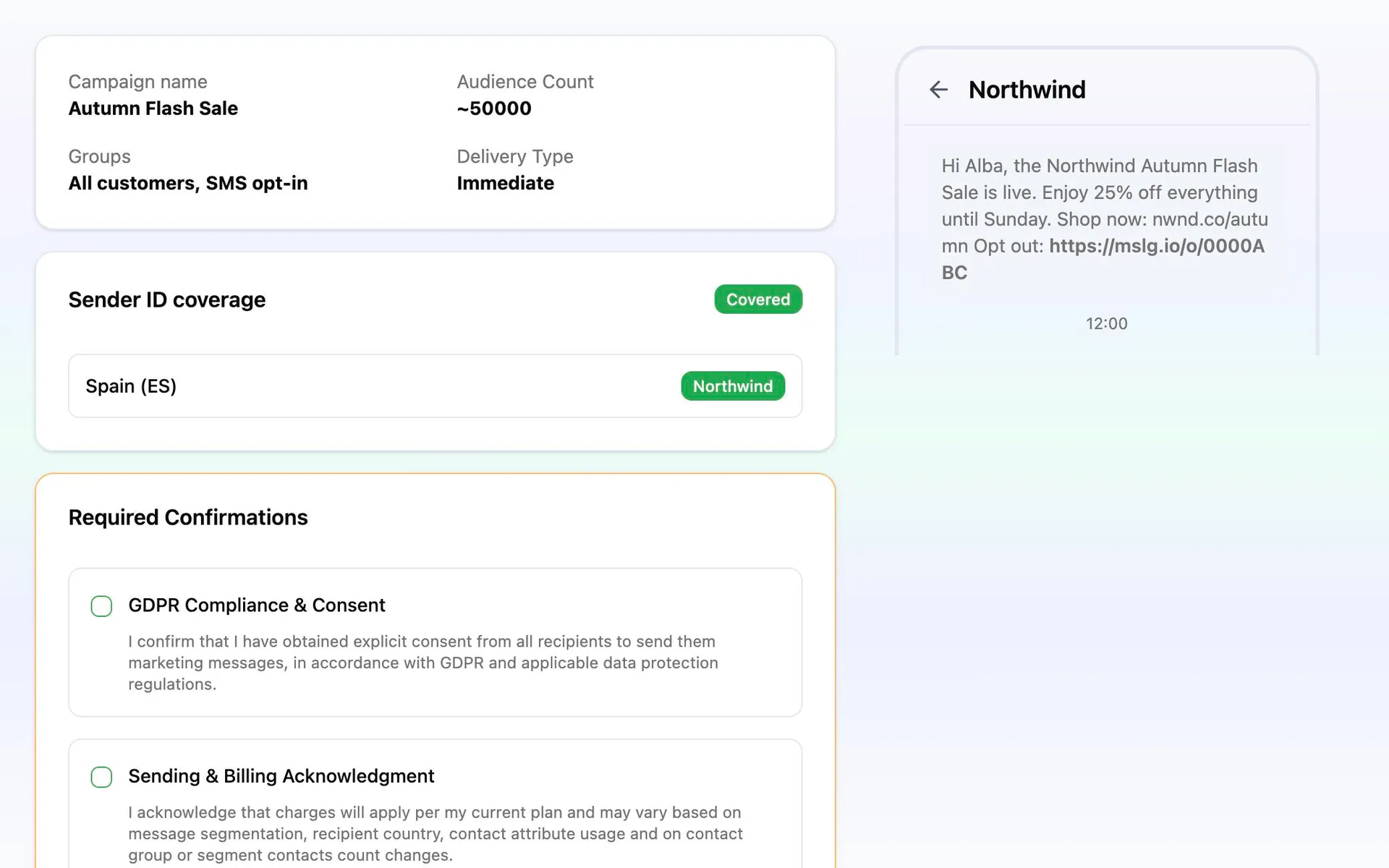
A retail list is the largest thing most businesses send to, and it is the one send where a surprise on the invoice is worst. So the price is not something you find out afterwards: the review step shows the customers the message is going to and what the whole run comes to, before anything is approved.
Message length is part of that number, and the editor counts it as you type. One line more turns one message into two for every customer on the list. Rates are per destination, so a list spread across several countries is priced the way it will actually be billed.
From a spreadsheet to a scheduled send
The first campaign takes an afternoon. The ones after it reuse everything but the words.
Import the customers you already have
Bring in contacts with the fields your store keeps: last order, city, category, waiting list. They become attributes you can segment on.
Build the segment the offer is for
A reusable rule rather than a frozen list. Audiences check themselves again every time you send, so a customer who unsubscribed last week is not in tomorrow’s run.
Write it, shorten the link, preview it
Personalize with the customer’s own details, shorten the product link so the clicks are counted, and send a test to your own phone before anyone else sees it.
Review the price, then schedule it
Check the customers and the total, pick the hour, and approve. Afterwards every message is followed to delivery in reporting.