Industry
SMS for automotive and dealerships
Send an offer to interested buyers, remind a customer about a test drive, or let them know their car is ready to collect. Keep each message tied to the visit or vehicle it concerns.
- Audiences by vehicle interest
- Personalized campaign messages
- Pickup notices through the API
Hi Alex, your test drive at [DEALER] is tomorrow at 10:30. Find us and view your booking here: [LINK]
Test drive
Booking reminder
From the first offer to the handover
A promotion, a booked visit and a vehicle ready to leave the lot each need a different message.
Vehicle promotions
Send new arrivals or a dealership offer to opted-in contacts whose recorded interests match. Link to the listing and track campaign link clicks.
Test-drive reminders
Include the appointment time, branch and a link to the booking details. Your booking system can request the reminder through the transactional API.
Vehicle pickup notices
When the vehicle is ready, have your dealership system send collection hours and a link to the handover instructions. The trigger stays with the system that knows the vehicle status.
Match the offer to the buyer’s interests
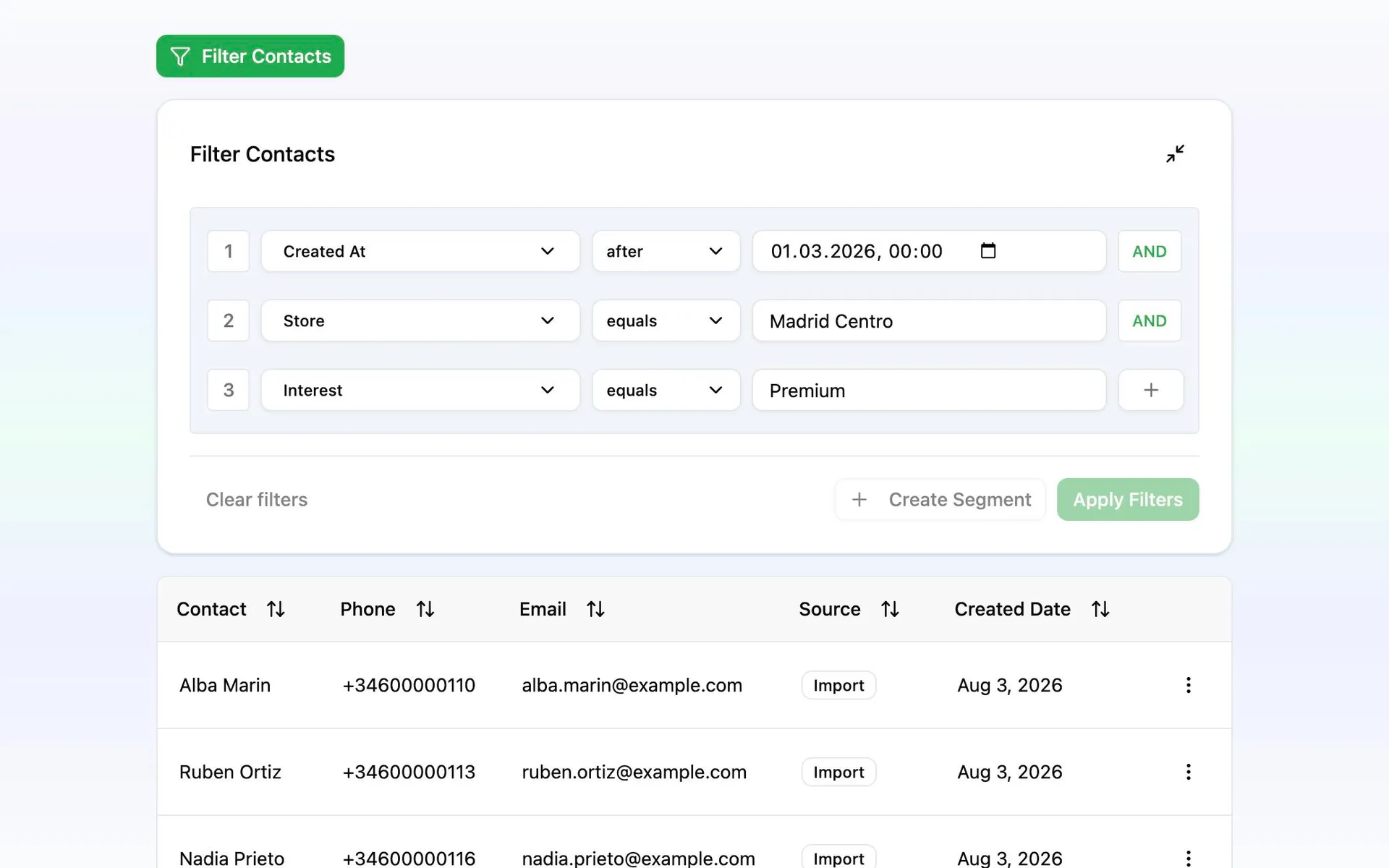
A customer looking for a family car has different interests from someone browsing work vans. Import vehicle interest, preferred branch and other useful fields from your customer records, then build segments around those attributes.
Keep those records current through imports or the API. Messalogy evaluates the segment when the campaign sends and checks marketing permission again before dispatch. Personalize the message with the contact’s details, include a tracked listing link and review the estimated cost before scheduling.
Put the next dealership message together
Start with one audience and one offer, then connect booking and pickup events through the API.
Import interests and permissions
Bring in contacts with their vehicle interests, branch and SMS consent. Map the fields you want to use for personalization and audience rules.
Choose the buyers for the offer
Create a segment for the relevant interest or branch. Use the campaign review to check the audience and estimated price.
Preview and schedule the campaign
Write the offer, add the listing and opt-out link placeholders, and send yourself a test. Choose when the campaign should leave.
Connect the booked visit and handover
Have your own system call the API for test-drive reminders and pickup notices. Configure delivery webhooks to receive message status changes.