Industry
SMS for events and ticketing
The biggest send a venue makes is also the one it cannot take back. Read it and approve it first, then watch it leave in batches you can stop mid-run.
- Read in full before approval
- Sent in batches you can pause
- Every message followed to delivery
Tickets for [YOUR EVENT] go on sale Friday at 10:00, early list first. Set your reminder here: [LINK]
Sent in batches
Pause mid-send
Three messages a venue cannot afford to get wrong
Two of them are planned weeks ahead. The third is written in a hurry, and it is the one everybody remembers.
On-sale announcements
The people who asked to hear first, told first, with a short link straight to the ticket page. The whole list finds out inside the same few minutes.
Event-day logistics
Doors, stage times, the gate to use and where not to park, timed for when ticket holders are already on their way rather than a week before they set off.
Changes and cancellations
A postponed date or a moved door reaches every ticket holder on the phone in their pocket, and you can see afterwards which numbers it failed to reach.
One very large send, still under your hand
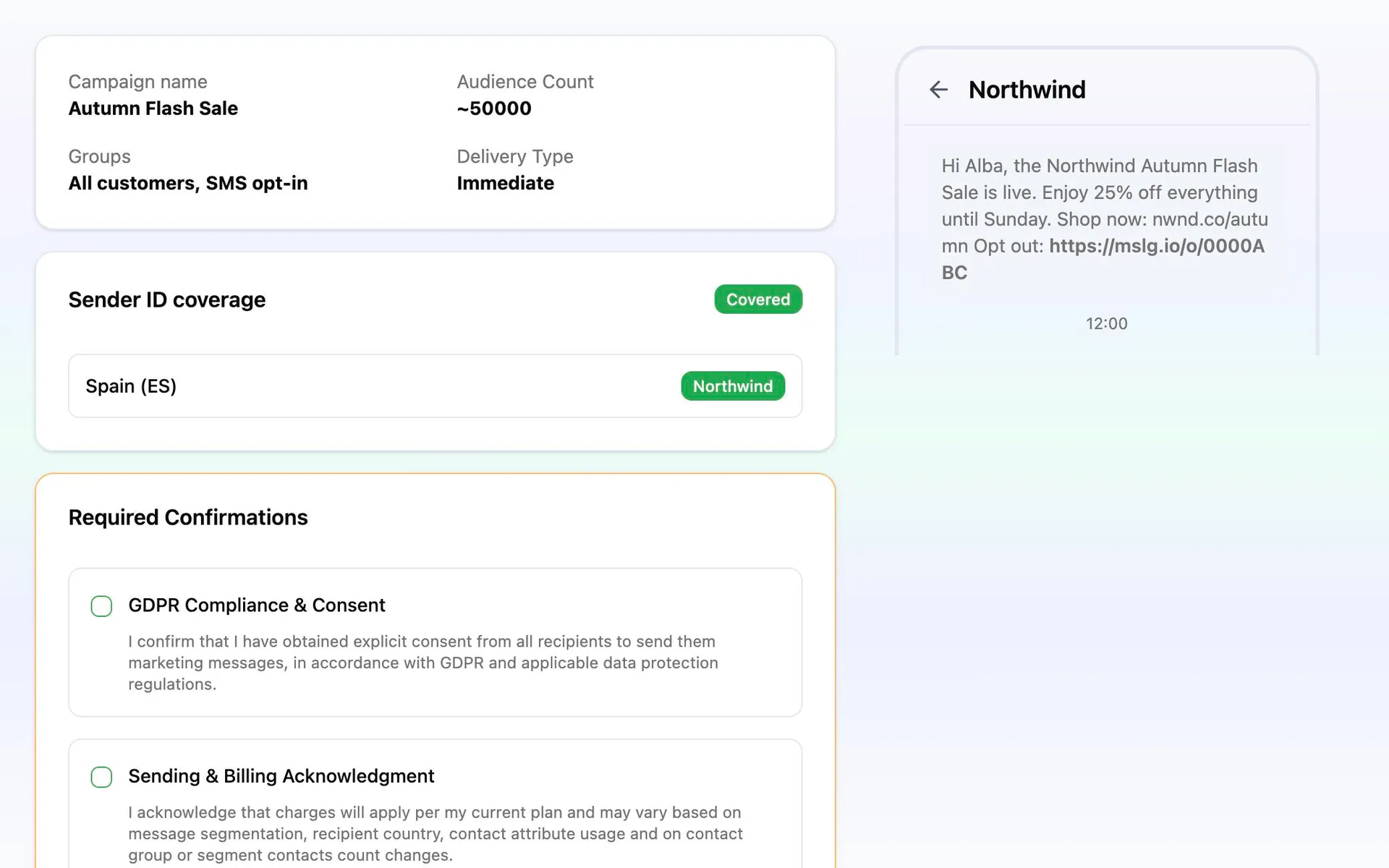
An on-sale announcement is the largest message most venues ever send and the only one with no way back. So nothing leaves on a click: the review step puts the finished message and the list it is going to in front of you, and the run waits there until you approve it.
Once approved it goes out in batches rather than in one burst, so you can still pause the run if you spot a wrong door number or the box office needs a moment. Afterwards reporting follows it message by message, with failures listed by recipient, so you know which ticket holders have the new time and which need reaching another way.
From a ticket list to an on-sale send
The first announcement takes an afternoon to build. The ones after it reuse everything but the date.
Import the ticket list you already hold
The box office already keeps the fields that matter: event, ticket tier, city and which shows they came to before. Import the attendee list with those columns intact. Each one arrives as an attribute a segment can read.
Build the segment this announcement is for
The pre-sale list is not the whole database, and the people who came last season are not this season’s buyers. Audiences check themselves again every time you send.
Write it, shorten the ticket link, test it
Personalize with the attendee’s name and their event, shorten the ticket link so the clicks are counted, and send a test to your own phone. Read it once more as a phone shows it, not as the editor does.
Review it, approve it, send it in batches
Check the message and the list it is going to, approve, and pick the hour. It leaves in batches from there, and the pause is one click away for as long as the run lasts.