Industry
SMS for travel and transportation
Give passengers the departure time, meeting point and any change to their plans. Connect your reservation or dispatch system so each notice carries the latest trip details.
- Trip notices through the API
- SMS pricing by destination
- Delivery status returned by webhook
Your [COMPANY] shuttle leaves tomorrow at 08:30 from Stop B. Please arrive 10 minutes early. Trip details: [LINK]
Departure
08:30 / Stop B
The details passengers need before they move
A booked departure, an updated schedule and a pickup point each give you a reason to send a useful message.
Departure reminders
Include the departure time, arrival instructions and a link to the reservation. Your system chooses the reminder time from the passenger’s booking and calls the API.
Schedule changes
When a departure is moved or canceled, have your operations system notify the affected passengers. Include the revised details and a link to the options available in your booking portal.
Pickup instructions
Send the meeting point, pickup window and a link to directions. Your dispatch system supplies the location so the message reflects the assigned pickup.
Keep each notice tied to the reservation
A changed departure affects a specific set of passengers. Your reservation system holds that list and the updated itinerary. Have it call the transactional API with each passenger’s number and a message built from the current booking.
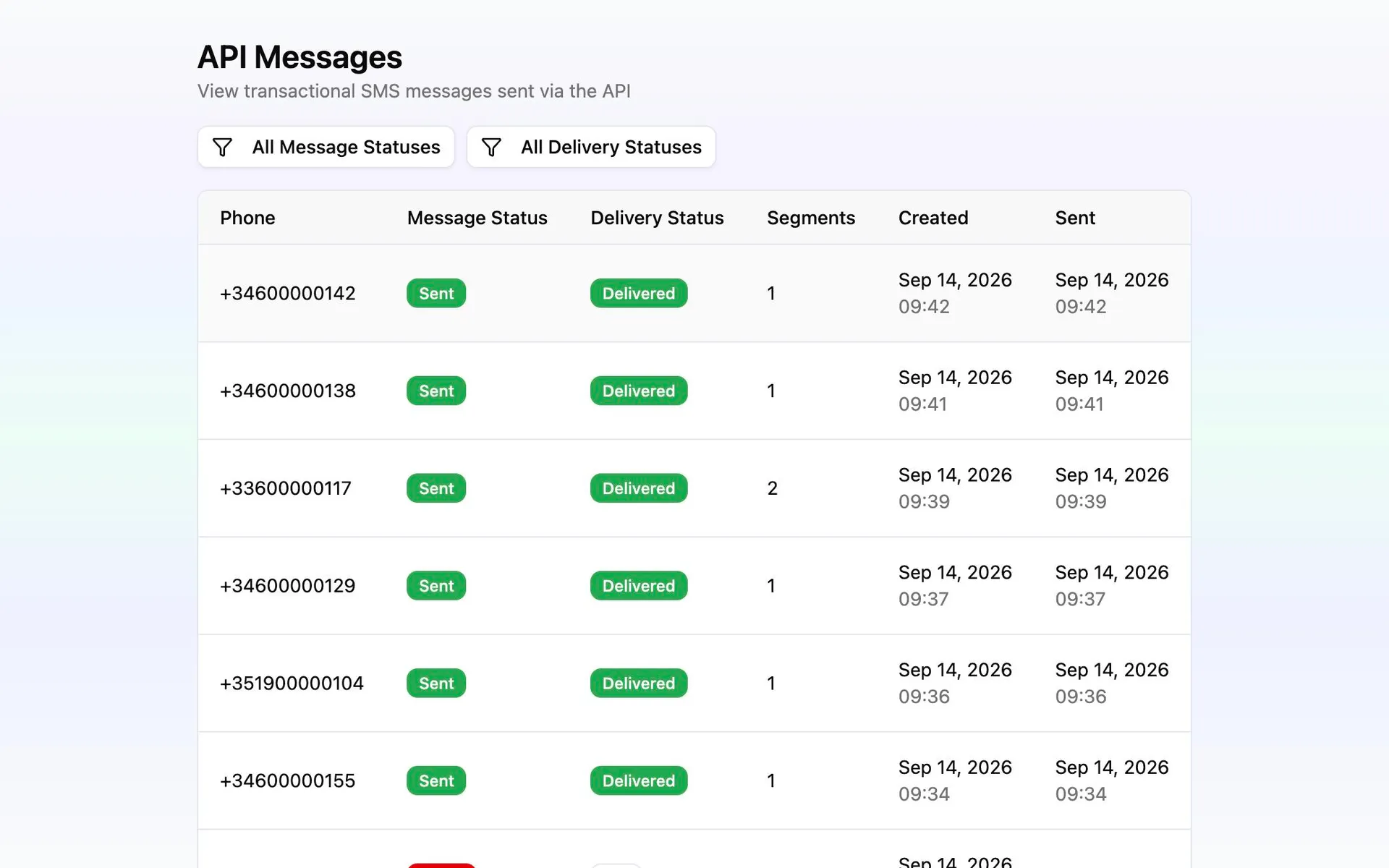
Check SMS pricing by destination when planning international sends. Configure delivery webhooks to record message status back in your system, so your team can see which notices were delivered and which failed.
Connect a trip notice to your booking system
Start with one departure or pickup event and follow its message through to the delivery result.
Select the affected reservations
Use your own booking data to identify the passengers for the departure, route or pickup that changed. Keep their numbers and trip details current there.
Prepare the message and sender
Include the operator name, local departure time and meeting point. Check the sender requirements and SMS pricing for the destinations you will send to.
Request the send from your system
Create a project API key and call the transactional endpoint when the reminder is due or the schedule changes. Your integration controls the timing and recipients.
Return delivery status to the trip record
Configure delivery webhooks and record the results beside the reservation. Use failed-message statuses to decide which passengers need follow-up.