Pause
Stop a running campaign without losing what has already gone out.
Channels
Audiences & compliance
SMS Campaigns
Choose your customers, write the message, pick the time, and review everything before it leaves. A phone preview sits beside you the whole way.
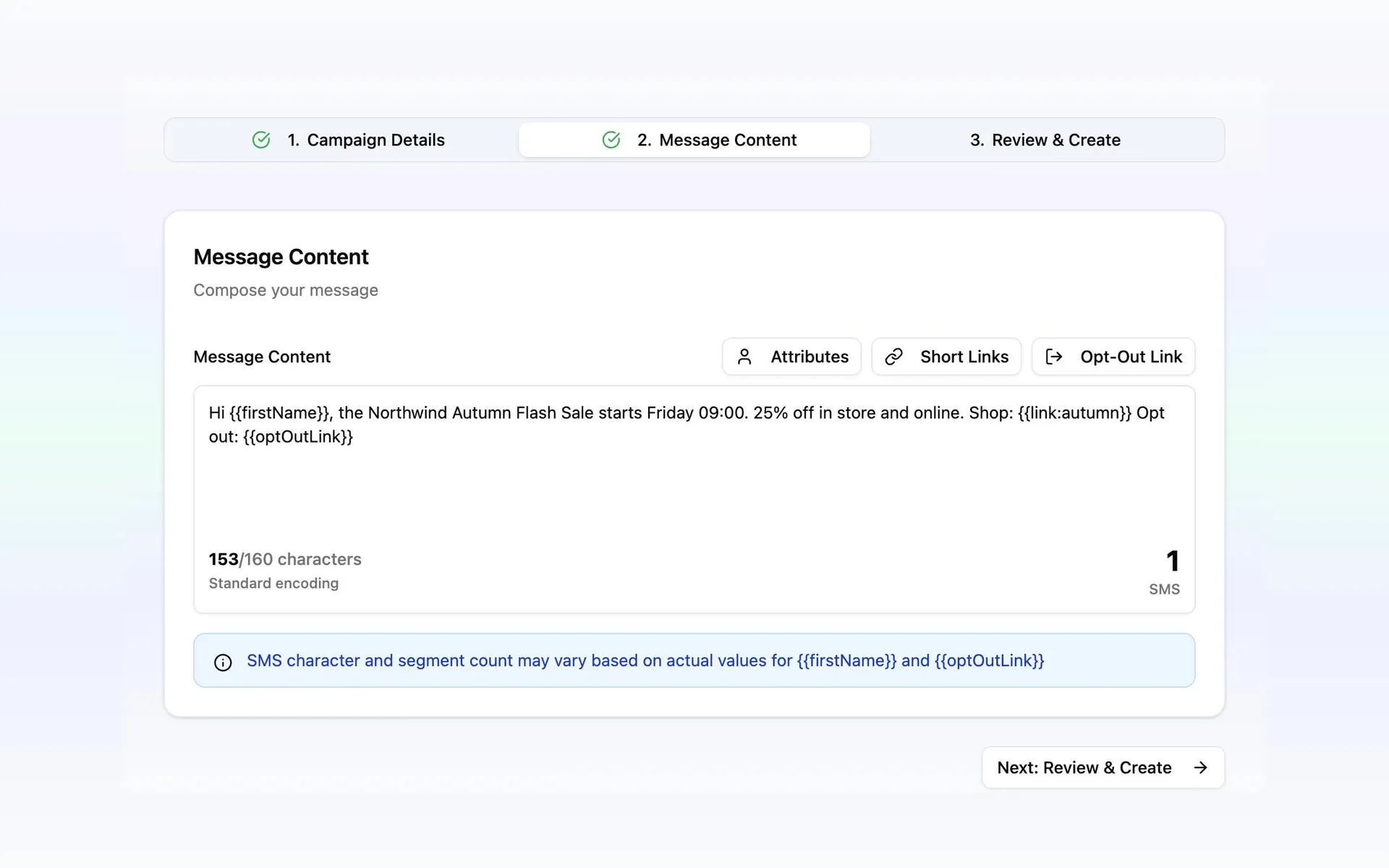
Three steps to build a campaign, and one page to see how it went.
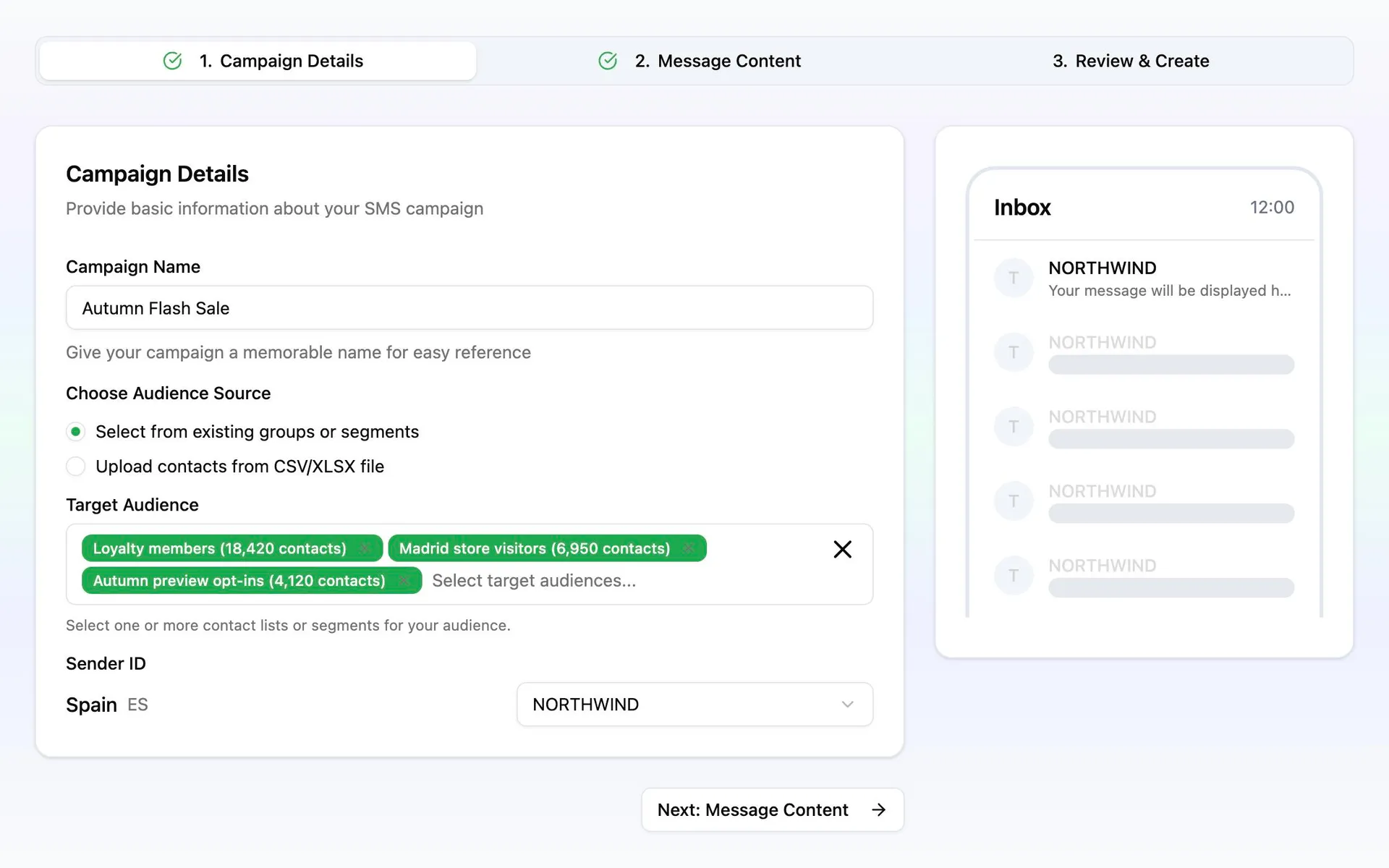
Pick as many contact lists and saved segments as the campaign needs. Someone on two of them gets one message.
Upload a CSV or Excel file inside the campaign, match the columns, and the people in it are the audience.
Anyone who opted out or was blacklisted in Contacts is left out automatically, even if they opt out after you schedule.
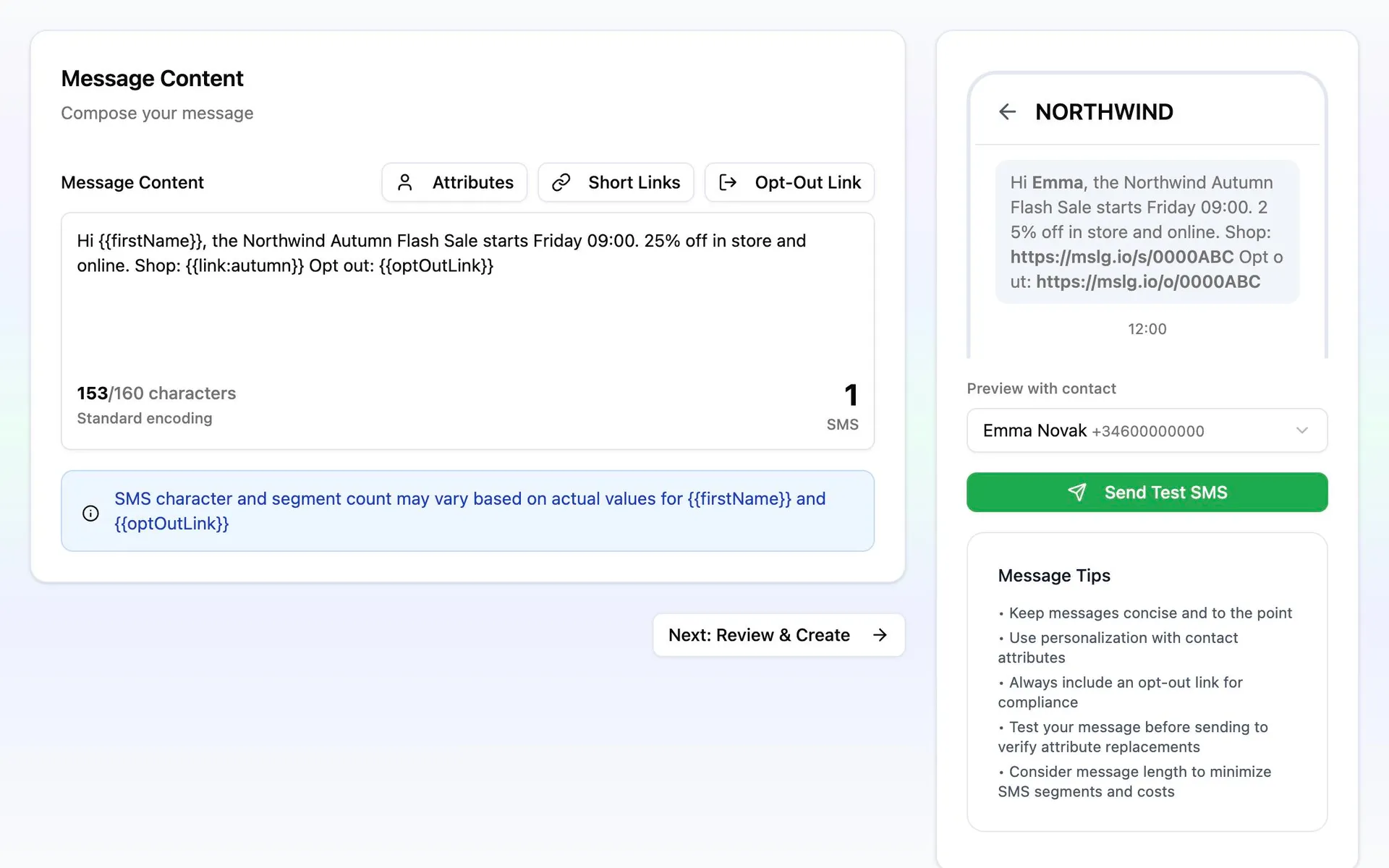
Drop in a first name, a booking, a branch or any detail your business keeps, and preview it with a real customer from the audience.
Add a short link with a name and an expiry, and the opt-out link. Each person gets their own, so clicks and opt-outs come back by name.
Send the finished message to up to ten numbers before launch, filled in exactly as a customer would see it.
A single character outside the GSM-7 set can double what a send costs. Messalogy flags it as you type, and offers to convert it.
Segments billed
Outside GSM-7, the whole message becomes UCS-2: 70 characters to a segment, 67 once there is more than one. It no longer fits a single send.
Converted, every character is back inside GSM-7, where a segment holds 160. Same sentence, one send, half the price.
The review step puts them on one page. If one needs attention, you see it here, not in the report.
The campaign knows which countries it is going to and shows an approved sender for each. Where you have more than one, you choose. It does not go out until every country is covered.
Recipients, message length and the rate for each destination, added up before you approve. Personalized details are counted per person, so a long name is priced as a long name.
The estimate is set against your balance on the same card. Enough, and you continue. Short, and you see the difference and where to top up.
Two confirmations before the send: that these customers agreed to hear from you, and that you accept the cost. Both are recorded with the time you gave them.
Launch immediately, or pick a date and time in your own timezone from 30 minutes to a year ahead. Pick a day on the dashboard calendar and the campaign opens with it. Until it goes, you can move it or call it off.
Stop a running campaign without losing what has already gone out.
Continue when you are ready. Messalogy checks the sender and the balance again before restarting, and nobody receives the message twice.
Call off a scheduled or paused campaign. Messages already sent stay in your report.
Move finished campaigns out of the way while keeping their history easy to find.
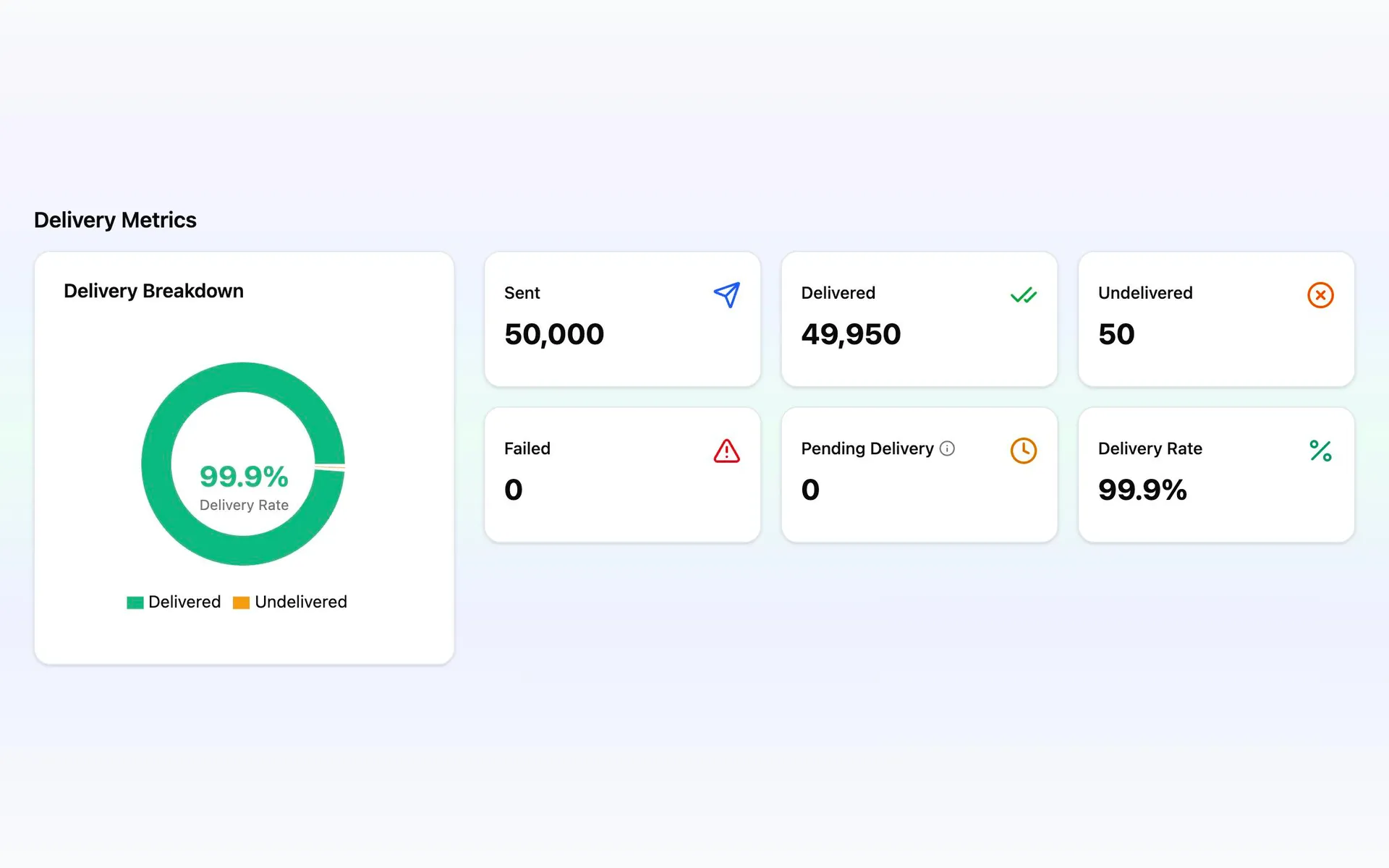
Delivered, undelivered, failed and still pending, with the delivery rate, the cost and the segments the send actually used.
Total and unique clicks for each short link, and how many people tapped the opt-out link.
Download who received what, when it was delivered, whether they clicked and whether they opted out.