Audiences
Your customer lists stay ready to send
Bring your contacts in once, keep the details your business uses, and reach the right people with every campaign.
- ImportCSV or Excel
- SegmentsUpdate themselves
- Opt-outsHonored at send
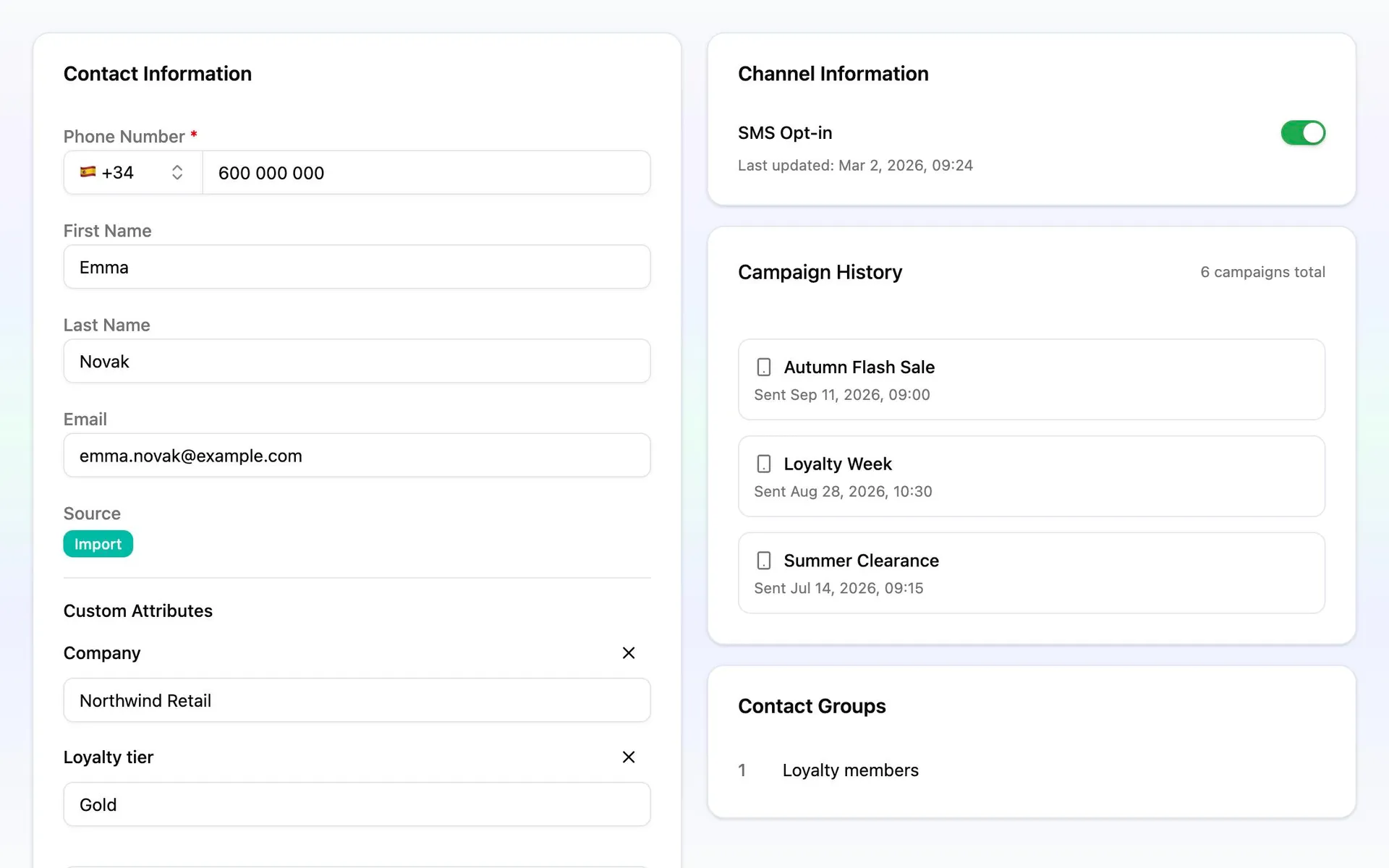
One record per customer, with the details you use
A clean number, whatever the file said
Phone numbers are read with or without a country code, tidied into one format, and matched so the same customer does not come in twice.
Your own fields
Add text, numbers, dates or yes/no fields for anything your business keeps, and create one on the spot from inside a contact or an import.
What each customer has seen
Every contact shows the messages sent and delivered, the links they clicked, and the campaigns they were part of.
Upload. Match. Done.
Bring in a CSV or Excel file, match the columns, and watch the import run without holding up your day.
Match the columns
Messalogy suggests where the phone number, names and details go, and you adjust. A column with no field yet can become one on the spot. Set a default country for numbers without one, and a timezone for dates.
Choose how to use the file
Add only new customers, or update the ones you already have. Drop them into a contact list as they arrive. Everyone comes in opted out unless you confirm they agreed to hear from you, and that confirmation is recorded with the time.
Watch it run
Progress shows as it goes: added, updated, skipped as duplicates, failed. If some rows fail, the rest still import. Download the problem rows with the reason, fix them, and try again. Every import stays in the history.
A list for today
A contact list is a fixed set of customers, filled by an import. Use one when you know exactly who should hear from you.
Filled as the file comes in
Point an import at a list, or start a new one from inside a campaign, and the people in the file are its members.
Counted and searchable
Every list shows how many people are in it and when each one was added. Search and sort the members, and open any of them.
Several in one campaign
Pick as many lists as a campaign needs. A customer on two of them still receives one message.
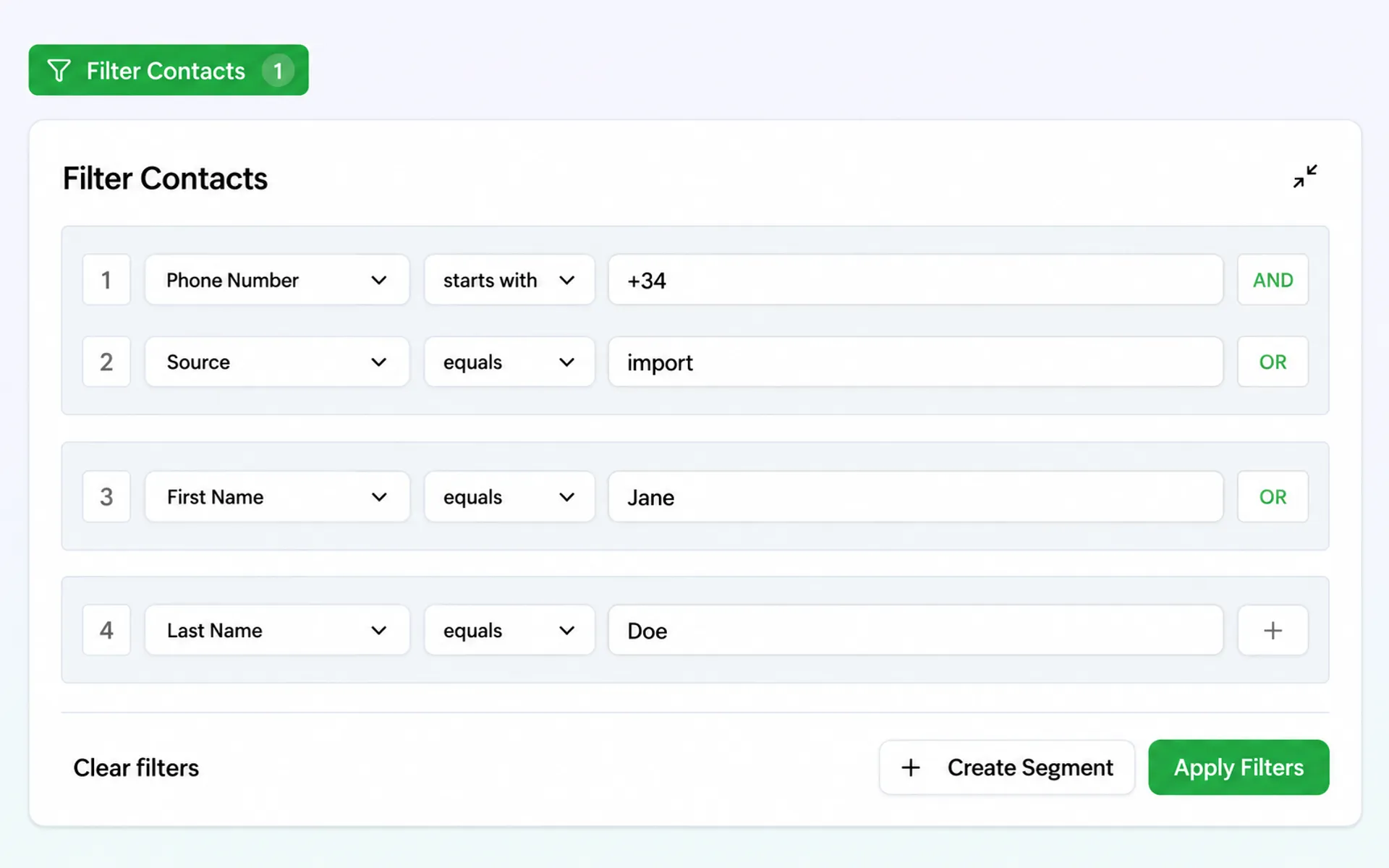
A rule for every day
Built from your fields
Filter on names, email, phone, source and dates, and on any custom field you have marked as filterable.
Plain rules, combined
Is, contains, starts with, before or after, more than, empty or not. Join them with "and", then add another group with "or".
Always current
A segment stores the rule, not the people. Whoever matches on the day is who receives the campaign, and you can change the rule at any time.
People who leave stay out
An opt-out is honored where it matters: at the moment of sending.
One place to see who left
The opted-out list shows who, when, and on which channel, and you can search it by name, number or email.
Opt someone out by hand
Do it from the contact table or the contact page, with a confirmation. From the panel the switch only goes one way, so nobody is opted back in by accident.
Checked again as the send goes out
A campaign only reaches people who are opted in. Someone who opts out after you schedule is skipped, not sent.