Industry
SMS for beauty and wellness
Confirm tomorrow’s appointments, reach everyone due for their next visit, and fill a canceled slot the same afternoon, from a list that is right on the day you send it.
- Segments re-checked at send time
- A rebooking list that stays current
- Opt-outs honored on the next send
Hi Ana, it has been 6 weeks since your last visit to [SALON]. Book your next appointment here: [LINK]
Audience
Due a rebooking
Three messages a salon already sends by hand
All three are the same question asked at different moments: who should hear from us today?
Appointment reminders
Tomorrow’s appointments confirmed today, without a single phone call. The list is whoever is on the book for that day, and it is worked out the moment the send goes.
Rebooking campaigns
Everyone due for their next visit, in one message. The rule is the interval you work to, so the same campaign finds a different set of clients every time you run it.
Last-minute openings
A canceled slot offered to the clients who wanted an earlier one, with a short link to the booking page so you can see who opened it.
A rebooking list is only as good as the day it was built
The clients due for a color are not the same people this month as last, and a list exported six weeks ago has the wrong names on it. One came back early, one moved away, one unsubscribed. Send to that list and you are texting people who were already in the chair on Tuesday while missing the ones who were not.
So a segment here is a rule based on last visit, service, location or whatever your own fields carry, rather than a file. It is worked out when the campaign leaves, not when you wrote it, and permission is checked again on the way out, so a client who left last week is not in this week’s run. The same rebooking campaign, run again next month, finds an entirely different set of people. Delivery is followed message by message in reporting.
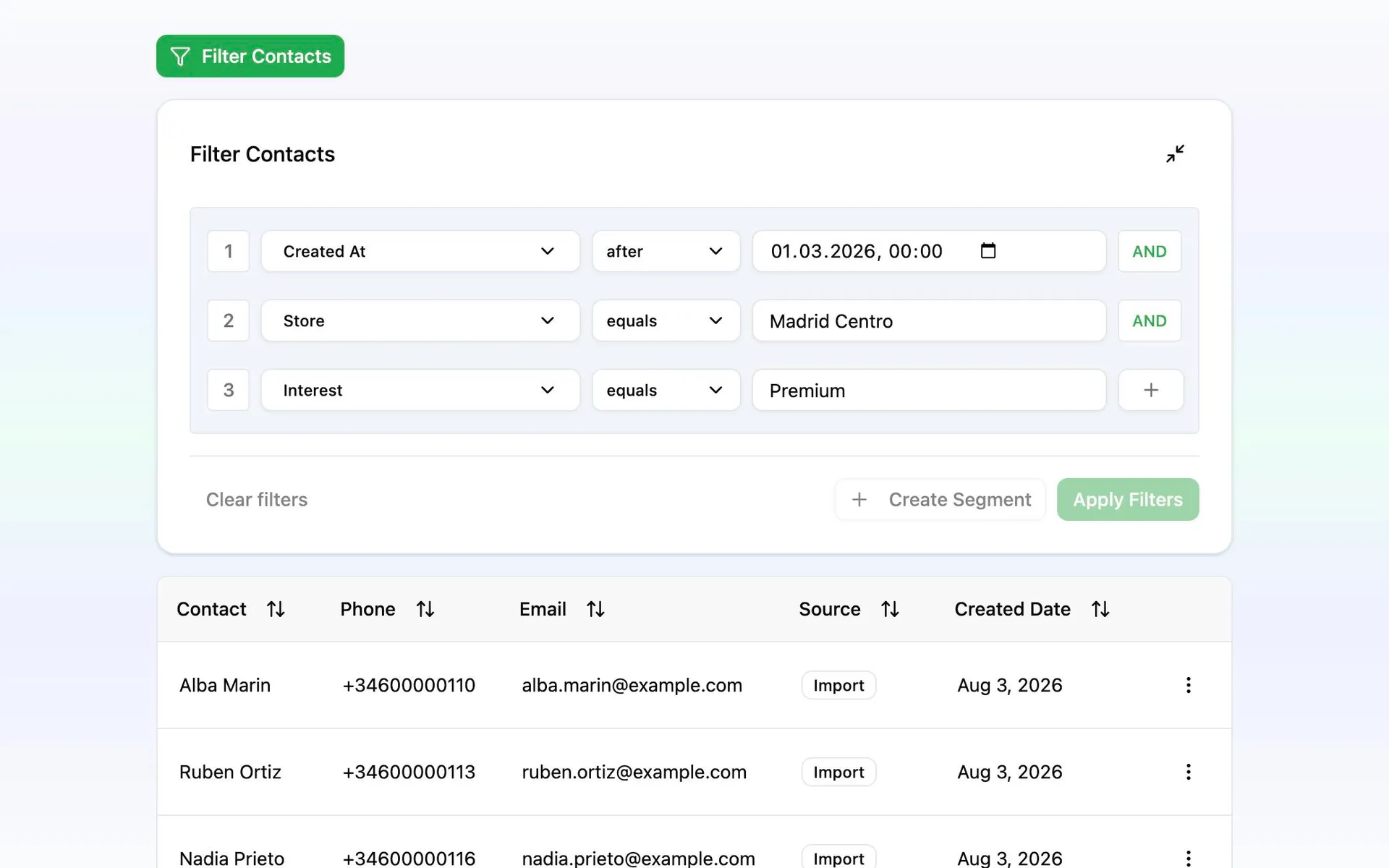
From the appointment book to a rebooking campaign
The first campaign takes an afternoon. The next one is the same rule, run again.
Import the clients and their history
A salon’s client card already holds the history: last visit, service, stylist, location. Import it whole and every one of those fields is something a rule can match on.
Write the rule instead of the list
Due for a trim, not seen since spring, always books a Saturday. Audiences works these out again on every send, so nobody has to keep a spreadsheet current.
Personalize it and check it on a phone
Drop in the client’s own name and service, shorten the booking link so the clicks are counted, and send a test to yourself before anyone else gets it.
See who it found, then send or schedule
The review step shows the clients the rule matched before anything leaves. Send it now, or set the hour and let it go without you.