Compliance & Delivery
The checks happen before you send
Messalogy checks customer permission and market readiness before every campaign, then checks again while it sends.
A clear permission history, when you need it
Who can hear from you
Every customer carries a yes or a no for SMS, and a campaign only ever reaches the ones who said yes.
When it changed
Each change is dated and kept, so the story stays whole even when a customer leaves and later comes back.
Where it came from
A tap on the opt-out link, a file you uploaded or a change in the panel: the record says which, so you can answer a customer or an auditor without piecing it together.
Already keep a do-not-contact list? Upload it once.
A file of numbers is enough
Upload a CSV or Excel file with phone numbers in the first column. Say which country local numbers belong to, and the rest is handled.
Every number stays out of every send
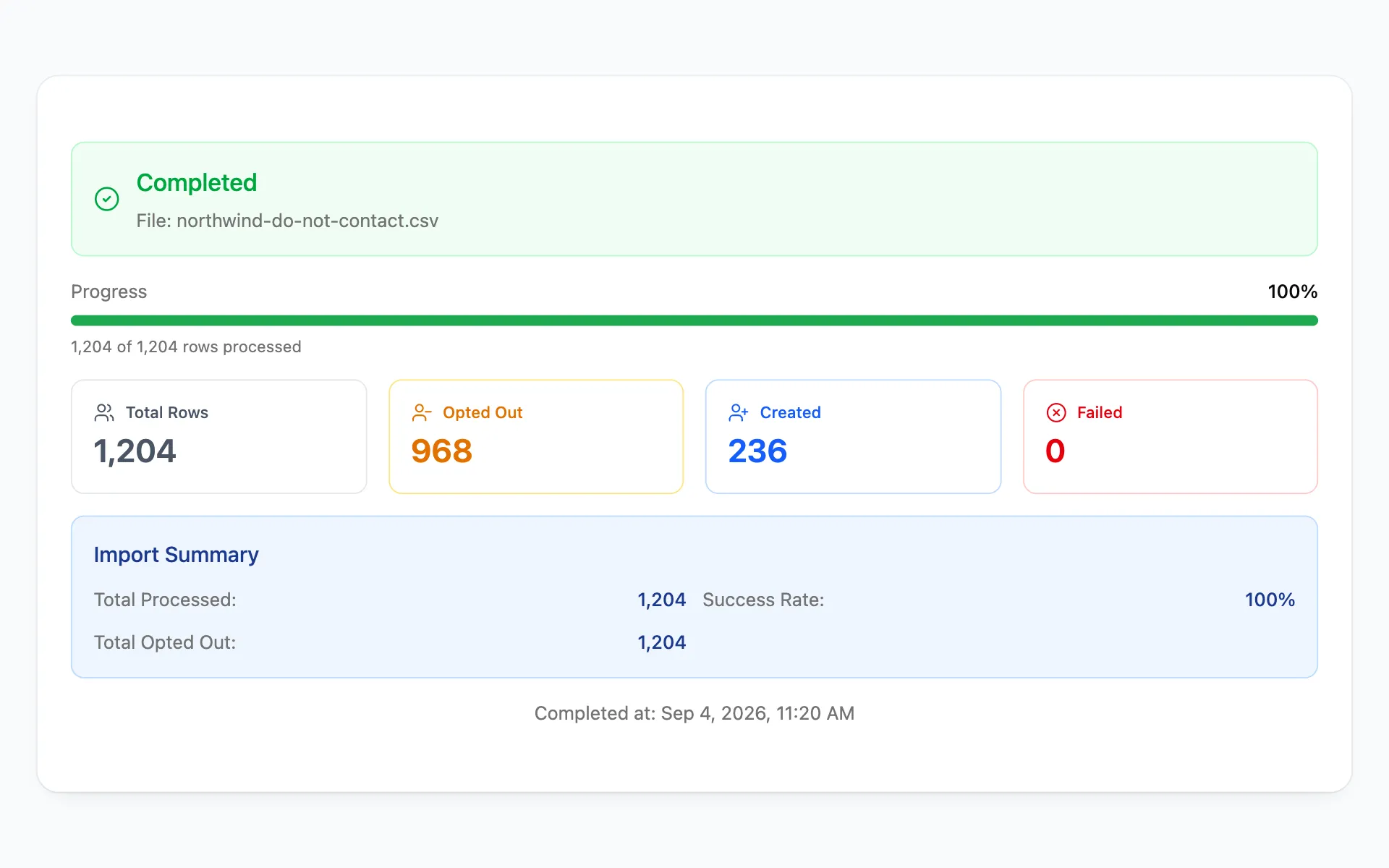
Customers you already have are opted out. Numbers you do not have yet are kept on record as opted out, so a later import cannot quietly bring them back in.
You see exactly what changed
Large files run in the background. When the upload finishes you see who was opted out, who was newly recorded, and any rows it could not read, ready to download.
Easy to leave. Clear to rejoin.
Whether it comes from a tap, a file or the panel, an opt-out is honored the same way. Adding someone back requires a clear, recorded choice.
Imports state what they contain
You confirm what the file represents before any customer record changes.
Updates can remove permission
They cannot quietly add it back. Rejoining needs a clear, recorded action.
Deleted customers stay protected
Restoring or importing the same customer later does not make them marketable again by accident.
A suppression file only moves one way
A do-not-contact upload can remove permission, but it can never create it. Restoring one person is a deliberate change on their record.
Checked again before delivery
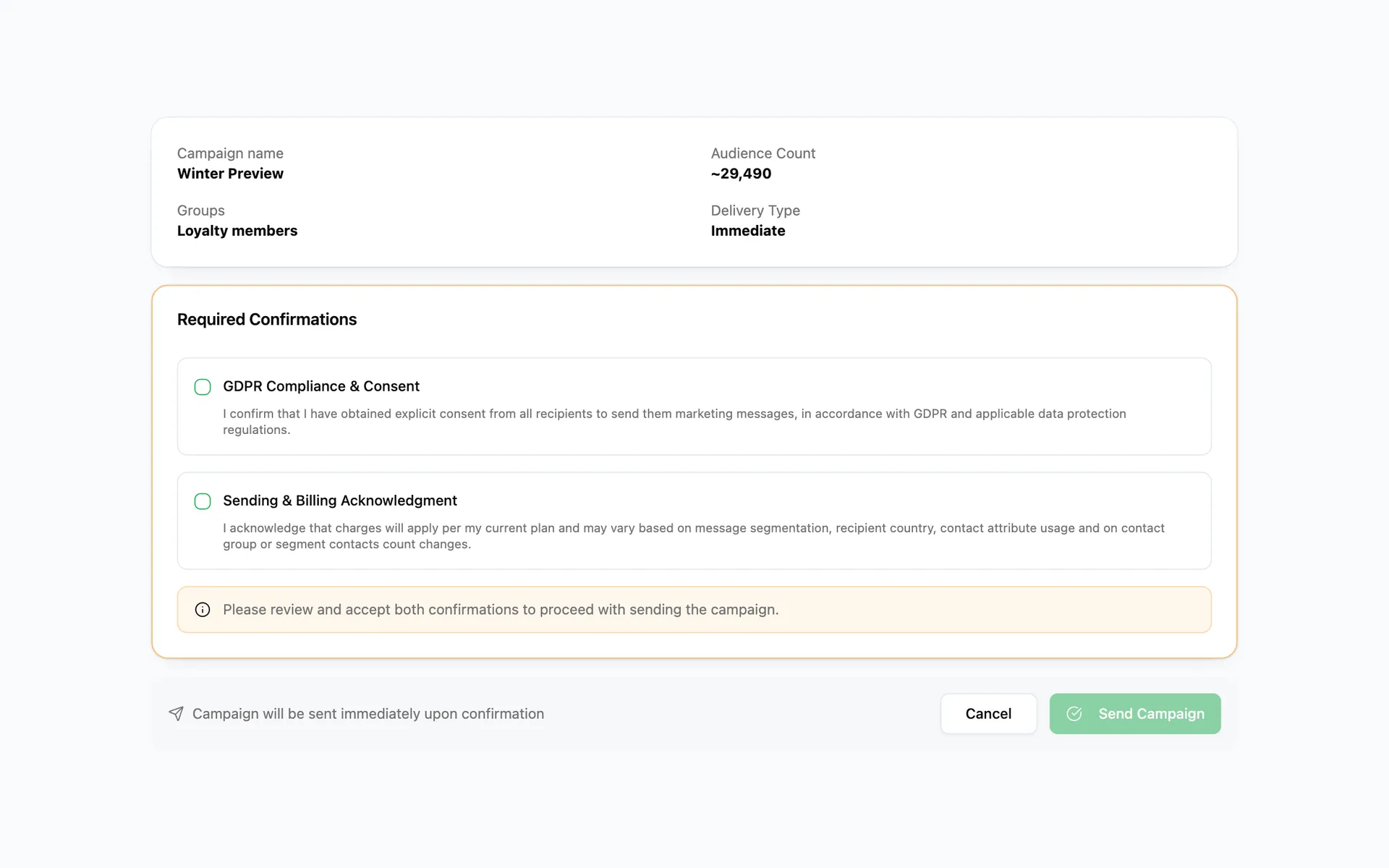
A customer can unsubscribe after you schedule. Messalogy checks the latest permission again while the campaign goes out.
When you review the campaign
The audience and price reflect the customers who can receive the message at that moment.
While the campaign goes out
Permission is checked again before each part of the send. Anyone who left after scheduling is skipped, even mid-send.
When someone unsubscribes
Their choice is recorded immediately and a confirmation appears. Repeating the action does not create duplicate changes.
Ready for every market before launch
Every country in the audience is checked
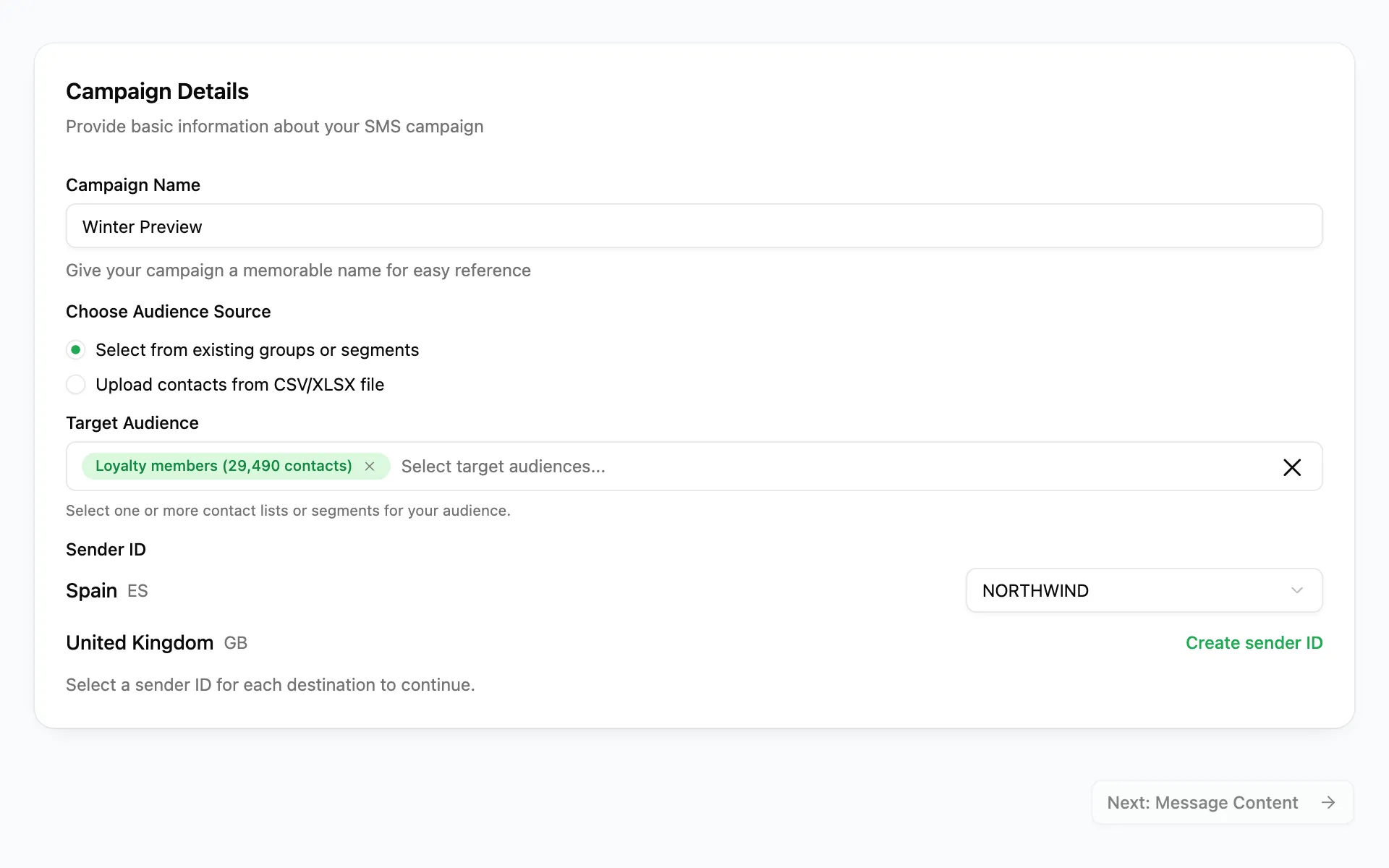
Before you can schedule, Messalogy looks at each destination and the sending names approved for it in that project.
The right name, chosen for you
Where one approved name fits, it is picked. Where several do, you choose the one customers should see.
Not ready? The campaign waits
A market without an approved name pauses the campaign instead of sending from the wrong one, and saved choices are checked again before it leaves.